Bulk schedule without a CSV
Easy Builder is the quickest way to turn a folder of images and videos into an editable schedule. You never need to copy a file path or type a filename.
1. Select all images and videos
Open Create Schedule, choose Easy Builder, then click the media box. Select the whole batch from your device in one go.
2. Choose the first date, time and interval
Enter when the first post should publish in Eastern Time. Then choose how many minutes should separate each post. For example, a 60-minute interval creates posts at 12:00, 13:00, 14:00 and so on.
3. Optionally add one starting caption
If every post begins with the same caption, enter it once. You can still change each caption separately on the next screen. Leave it blank if you prefer to write captions individually.
4. Build the schedule
Click Build My Schedule. PostScheduling uses the selected filenames automatically and creates one dated row for every media file.
5. Preview and edit every post
The Validation screen shows a thumbnail or playable video preview beside each post. Edit its caption, date or time directly. You can also click Shuffle or drag the ≡ handle to rearrange content while keeping the schedule slots fixed.
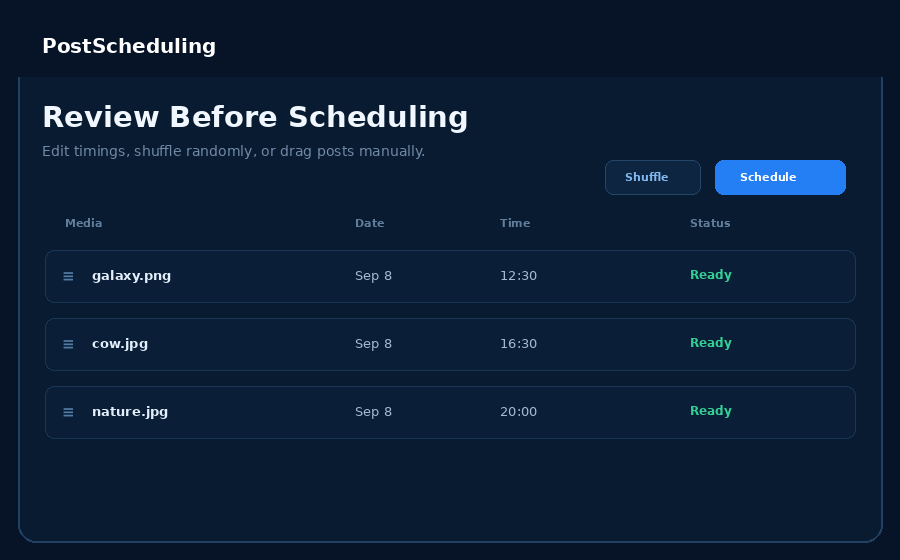
6. Validate and schedule
Confirm that every row says Ready, then click Schedule Validated Posts. Nothing is sent to Facebook before this final action.